
Territories
Territory mapping you can assign and audit
Draw canvassing zones, assign crews, and see knock pins on the map. Territory mapping built for door-to-door sales, not generic CRM regions.
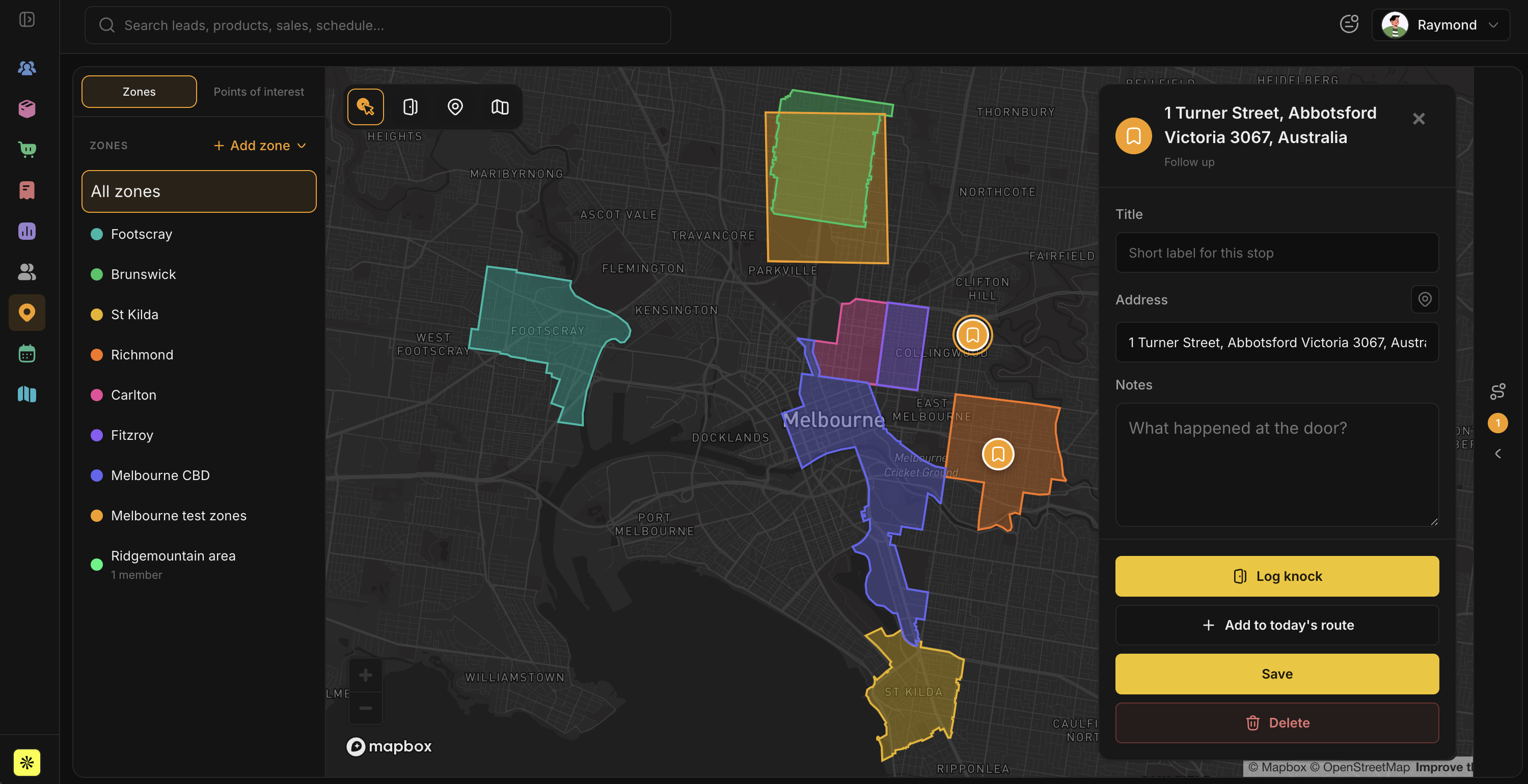
Generic CRMs treat territory as a dropdown. Door-to-door teams need polygons on a map, a crew on each zone, and a record of which doors were actually knocked.
How territory mapping works in BetterKnocks
- Draw a zone on the map, or import boundaries you already use.
- Assign the zone to a rep, squad, or manager.
- Knocks populate pins as reps work the route.
- Managers audit coverage before the day ends, not from a spreadsheet the next morning.
What managers see
- Which zones are assigned and which are idle
- Knock density on the map, not just a lead count
- Rep accountability at address level
- Exports (PDF/CSV) on Pro and above
Who uses it
Solar, pest control, security, telecom, roofing, and home-services crews that split neighborhoods and rotate turf. Same workflow whether you run one town or several markets.
FAQ
Is BetterKnocks a territory mapping tool or a CRM?
Both, shaped around door-to-door work. Territories are map zones you assign to crews. Leads, knocks, and production live in the same workspace so coverage and pipeline stay together.
Can I assign a zone to a team, not just one rep?
Yes on Pro and above. Free is a solo workspace with a territory limit. Paid plans add members, squads, and unlimited territories.